Audio on macOS
How to get audio in and out of UltraGrid on a Mac, using BlackHole as a virtual cable and Reaper as the mixer.
The example sends two channels and receives two channels. The same pattern scales to as many as your aggregate device has.
macOS has no way to hand an application's audio to another application. BlackHole is a virtual audio device that both can see, so it becomes the meeting point: Reaper writes into it, UltraGrid reads out of it, and the other way around.
1. Create an aggregate device
- Install BlackHole 16ch.
- Open Audio MIDI Setup.
- Press + at the bottom left and create an Aggregate Device.
- Name it
Ultragrid_16chan. - Include BlackHole 16ch, your built-in output and your microphone.
Including the built-in output lets you monitor the Reaper mix on the Mac's own speakers. The microphone is not used here but costs nothing to include.
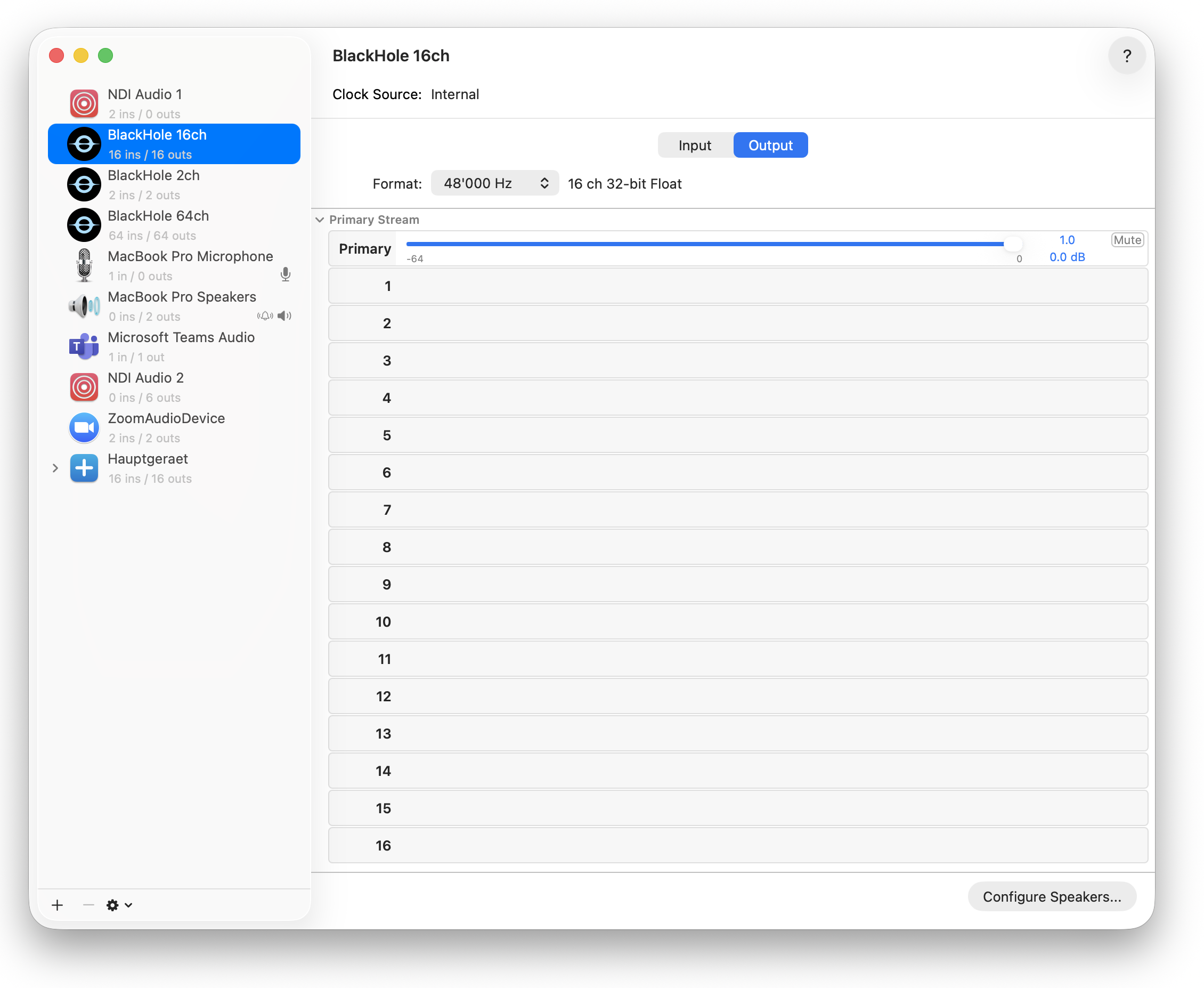
The aggregate device gathers BlackHole and the built-in devices under one name:
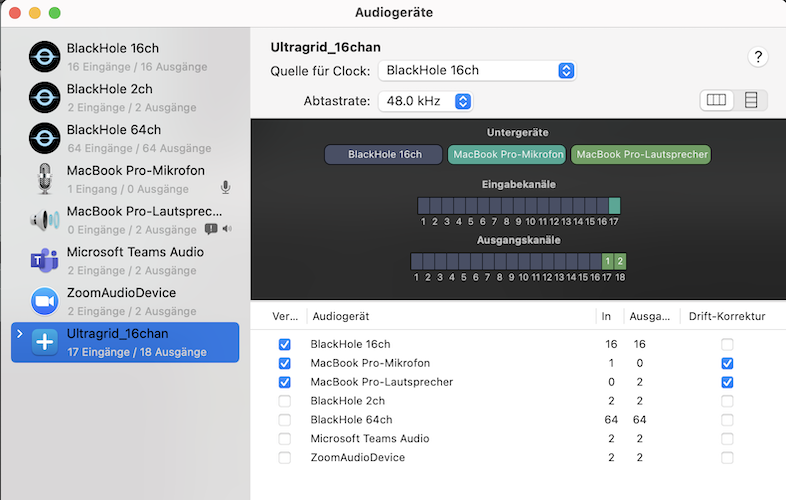
The channel convention
Split the 16 BlackHole channels in half and never think about it again:
| Channels | Direction |
|---|---|
| 1–8 | sending — Reaper writes, UltraGrid captures |
| 9–16 | receiving — UltraGrid writes, Reaper reads |
This example uses 1–2 for sending and 9–10 for receiving.
2. Configure Reaper
Set up a Master track, two output tracks and two input tracks.
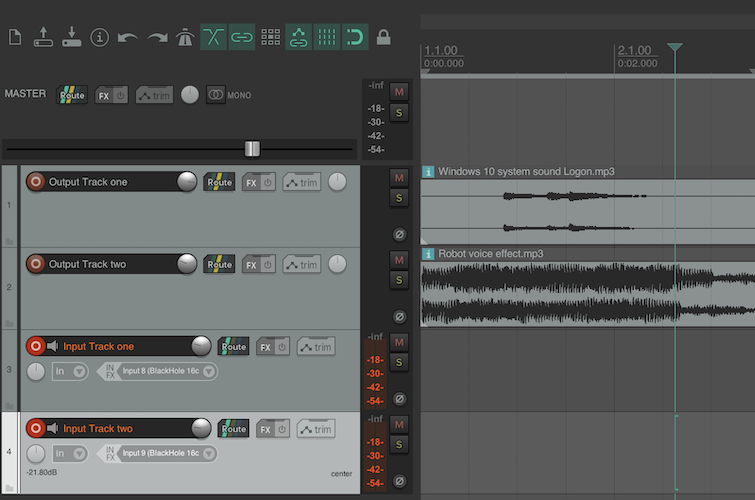
Four tracks: two carrying audio out to the room, two carrying audio in from it. The exact input and output numbers are set in the steps below.
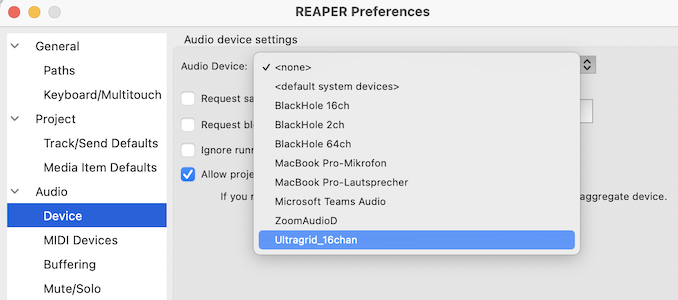
In Preferences → Audio → Device, select Ultragrid_16chan as both input and
output device.
Output tracks — what you send. Route track 1 to 1: Output 1 (BlackHole
16ch) and track 2 to 2: Output 2 (BlackHole 16ch).
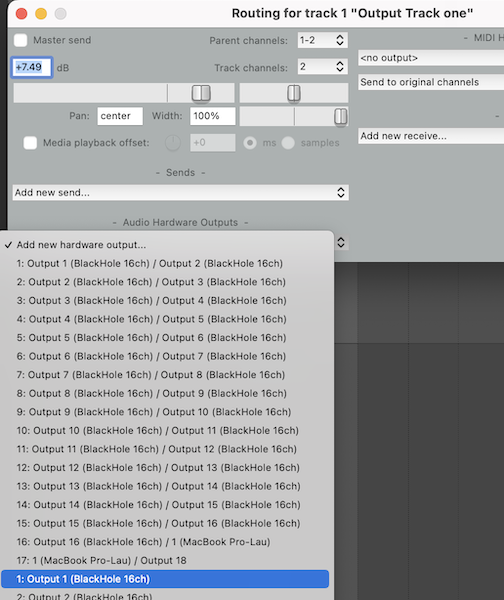
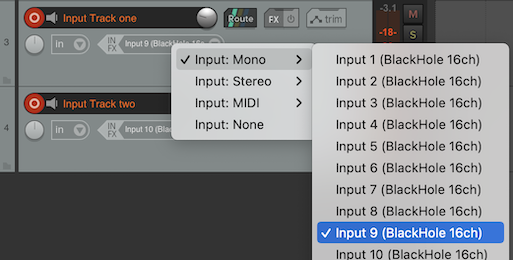
Input tracks — what you receive. Set track 3's input to Input 9 (BlackHole
16ch) and track 4's to Input 10 (BlackHole 16ch). These are the receive-side
channels from the convention above.
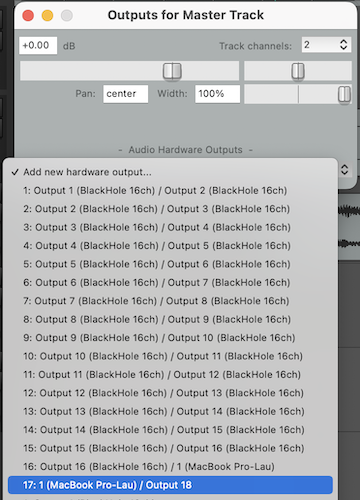
Master track — route it to your built-in output so you can hear the mix.
3. Configure the sending device
On the channel you want to send audio on, add an UltraGrid device:
| Setting | Value |
|---|---|
| Network | send to router (UDP) |
| Connection | send |
| Transmission | audio |
| Audio capture backend | coreaudio |
| Device | Ultragrid_16chan |
Press ↻ if the device is not listed. Then open advanced under Audio
capture and set channels to 2.
Switch the device on. Playing something through Reaper's output tracks should light up the TX level in the panel header.
4. Configure the receiving device
On the receiving machine, add an UltraGrid device on the same channel:
| Setting | Value |
|---|---|
| Network | receive from router |
| Connection | receive |
| Transmission | audio |
| Audio receive backend | coreaudio |
| Device | Ultragrid_16chan |
Then open advanced and set the channel mapping to:
Why 0:8,1:9
This maps incoming channel 0 to device channel 8, and incoming 1 to device 9.
UltraGrid counts from 0. Reaper and Audio MIDI Setup count from 1. So device channels 8 and 9 in UltraGrid's numbering are BlackHole channels 9 and 10 — the receive half of the convention, which is exactly where Reaper's input tracks are listening.
This off-by-one is the single most common mistake in this setup. If audio arrives but no Reaper track shows level, check the mapping before anything else.
Troubleshooting
| Symptom | Likely cause |
|---|---|
| No TX level while Reaper plays | Output tracks are not routed to BlackHole 1–2, or the wrong device is selected in UltraGrid. |
| RX level in the panel, silence in Reaper | The mapping. See above. |
| Crackling or dropouts | Sample rates disagree. Make Reaper, the aggregate device and all its sub-devices match. |
| Aggregate device missing from the list | Press ↻. It only appears if it existed when the list was built. |
| Echo | The Master track is routed back into the sending channels. |
Windows
The same shape, with different parts: use VB-Audio
Cable or similar instead of BlackHole, and the
wasapi backend instead of coreaudio. The channel convention and the
zero-versus-one-based mapping are identical.