Motion capture
Two devices carry OptiTrack data between locations. They solve different problems, and picking the wrong one costs you a lot of debugging.
| MoCap | Motive bridge | |
|---|---|---|
| Sends | NatNet converted to OSC | native NatNet, untouched |
| Far end receives | OSC messages | NatNet, re-multicast on its LAN |
| Needs NatNetFour2OSC | yes — Windows only | no |
| Use when | the far end consumes OSC | the far end runs software expecting Motive |
Rule of thumb: if the receiving side wants to talk to Motive, use the Motive bridge. If it just wants coordinates, use MoCap.
MoCap (NatNetFour2OSC)
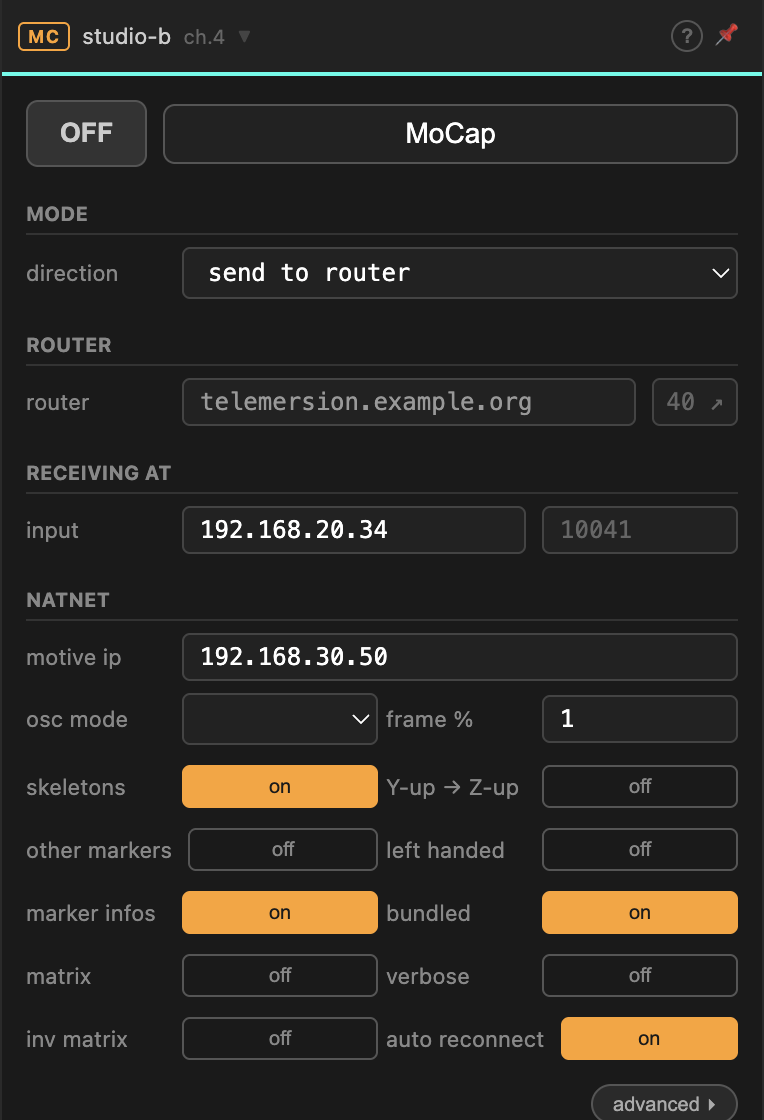
Wraps NatNetFour2OSC, which connects to Motive and converts its stream to OSC.
Windows only for sending
NatNetFour2OSC exists only for Windows. On macOS and Linux the sending directions are disabled — you can still receive from router, because that is plain OSC and needs no tool at all.
Direction
| send to router | connect to Motive, convert, publish to the room |
| send to local | connect to Motive, convert, send to a local address only |
| receive from router | take the converted OSC off the room and forward it locally |
Connecting to Motive
| Field | |
|---|---|
| motive ip | the machine running Motive |
| cmd port / data port | NatNet's command and data ports — 1510 / 1511 unless changed in Motive |
| multicast | Motive's multicast group, when it is set to multicast |
What to send
Toggles select which parts of the stream to convert: skeletons, marker infos, other markers. Each one costs bandwidth and CPU — send only what the far end will use. Untick other markers first; it is usually the largest and least useful.
frame % thins the stream. 1 sends every frame, 2 every second. Halving
the rate of a 240 Hz capture is often invisible downstream and makes a large
difference to the link.
Coordinate-system options — Y-up → Z-up, left handed, matrix, inv matrix — convert into whatever convention the receiving software expects. Get these wrong and the data arrives fine but everything is mirrored or on its side.
auto reconnect re-establishes the Motive connection if it drops. Leave it on.
Motive bridge
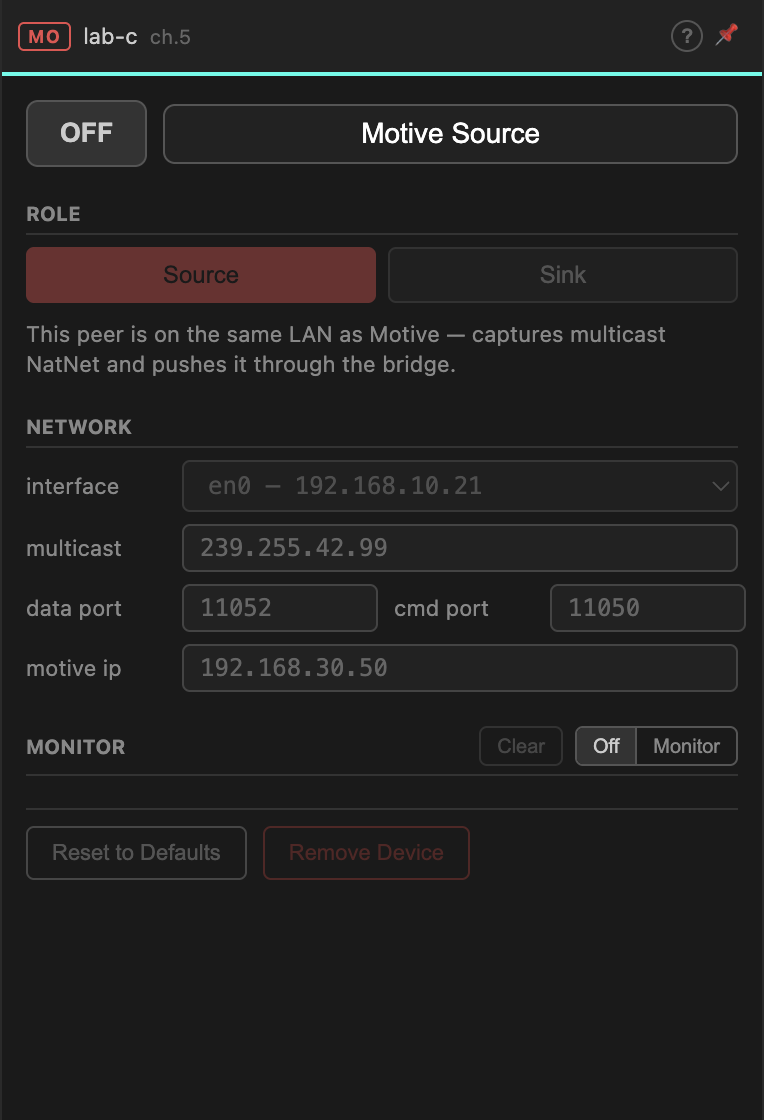
Carries native NatNet traffic and re-multicasts it at the far end, so software there sees Motive as though it were on the local network. No conversion, no NatNetFour2OSC, and it works on every platform.
Role
| Source | this peer is on the same LAN as Motive. It captures the multicast NatNet and pushes it through the bridge. |
| Sink | this peer re-multicasts the incoming NatNet on its own LAN. |
Exactly one peer per channel is Source. Every other peer that needs the data is a Sink.
Network
| Field | |
|---|---|
| interface | the network interface to capture from or multicast on |
| multicast | the multicast group — must match Motive's setting on the Source, and is what Sinks will re-multicast to |
| data port / cmd port | allocated by the Gateway from the room's range |
| motive ip | the Motive machine, on the Source side |
The interface matters more here than elsewhere. Multicast is per-interface: pick the wrong one and the Source captures nothing while looking perfectly configured.
Troubleshooting
| Symptom | Likely cause |
|---|---|
| MoCap device cannot be added | Not Windows, or NatNetFour2OSC is not installed — see Tools. |
| Device on, nothing flowing | Motive is not streaming, or motive ip / ports are wrong. Open the Monitor and read what the tool reports. |
| Motive bridge Source sees nothing | Wrong interface, or Motive is set to unicast rather than multicast. |
| Sink receives but local software does not | The software is listening on a different interface or multicast group than the Sink re-multicasts to. |
| Data arrives mirrored or rotated | Coordinate conversion toggles. |
| Stream stutters | Raise frame %, or send fewer marker categories. |