Tools & compatibility
The Gateway does not ship UltraGrid or NatNetFour2OSC. It checks for them at startup, and holds every other screen shut until the check passes — there is no point letting you build a room you cannot stream into.
While the check is failing, the icon bar shows only Settings and About, and the Settings icon carries a badge:

When a tool is missing
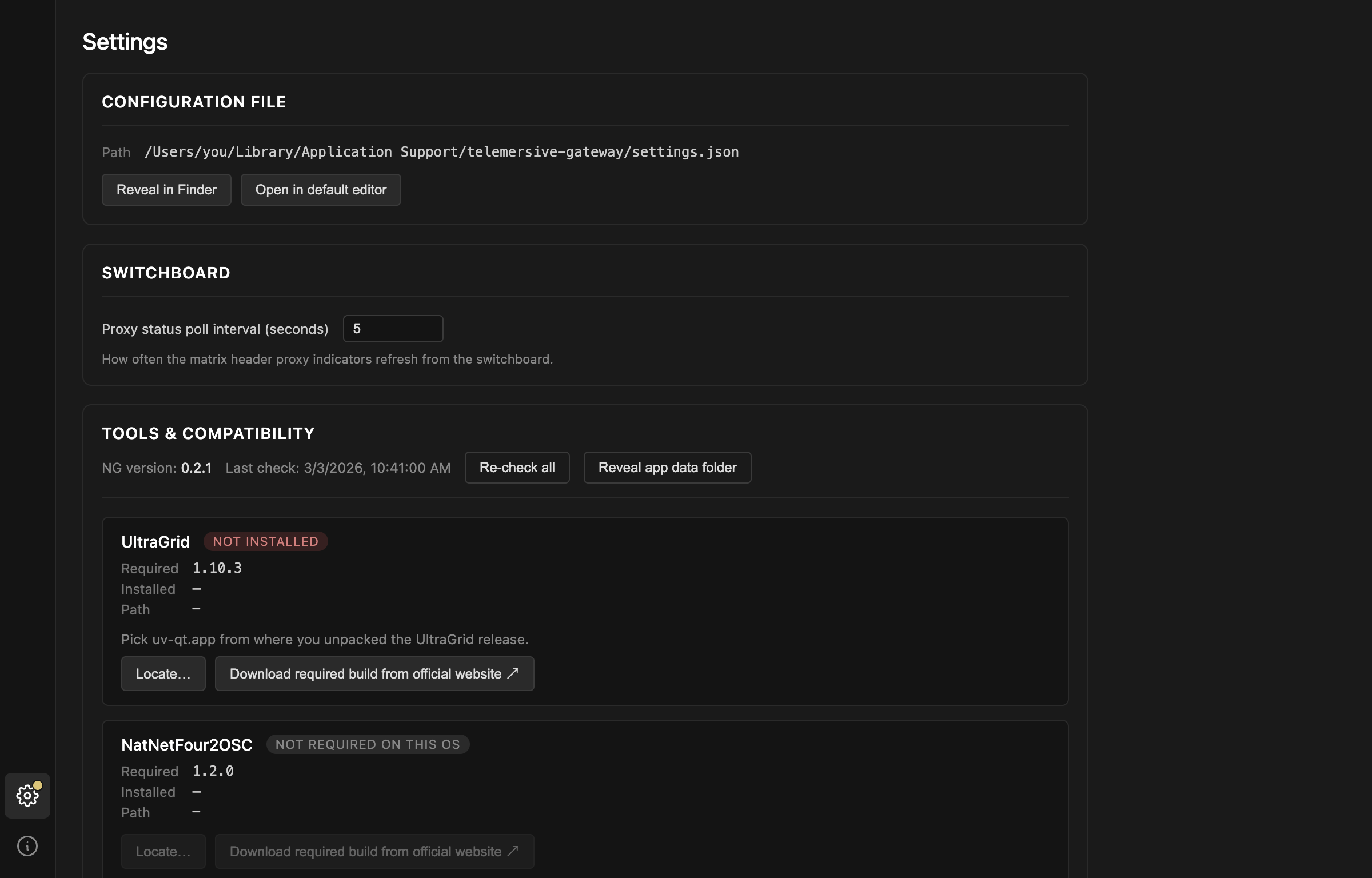
Each tool shows what it needs, what was found, and where. You have two ways forward:
Download required build from official website opens the release page for the exact version required. Versions matter: the Gateway parses the tools' console output to drive the FPS and volume indicators, and that output changes between releases. A different version may appear to work while reporting nonsense.
Locate… points the Gateway at a copy you already have.
- macOS: pick
uv-qt.appfrom where you unpacked the UltraGrid release - Windows: pick
uv.exe, orNatNetFour2OSC.exe
Re-check all runs the check again after you install something, without restarting.
When everything is in place
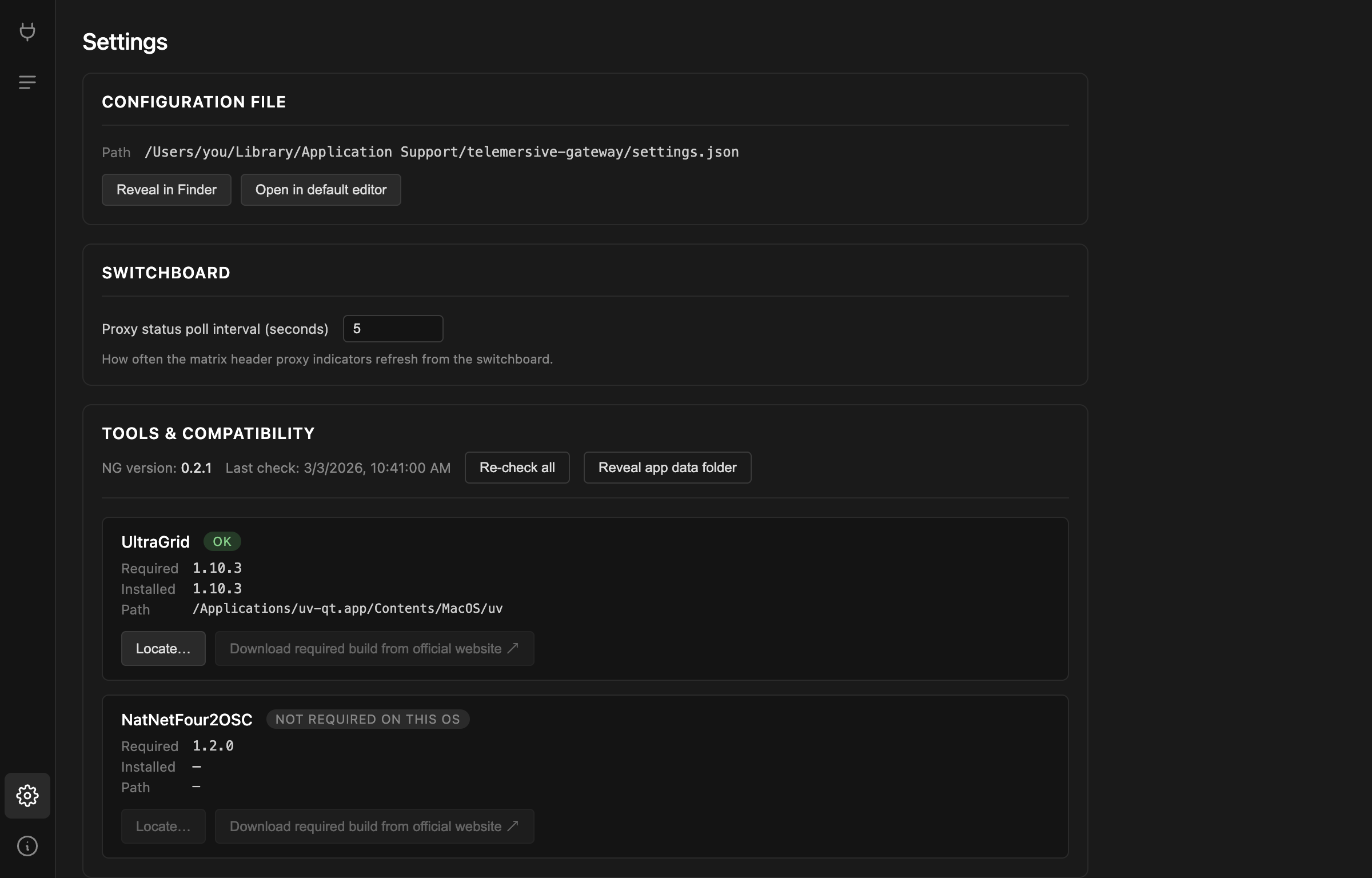
NOT REQUIRED ON THIS OS is a pass, not a failure. NatNetFour2OSC exists only
for Windows, so on macOS and Linux that row stays grey and the
MoCap device is unavailable — the other device types are
unaffected.
Once the check is green the Session and Matrix screens unlock and the Gateway takes you to Session.
Required versions
| Tool | Version | Platforms |
|---|---|---|
| UltraGrid | 1.10.3 | macOS, Windows, Linux |
| NatNetFour2OSC | 1.2.0 | Windows |
These are the versions this release of the Gateway was built and tested against. If you need a different one, the mismatch will be reported rather than silently accepted.