Telemersive Gateway
Share video, audio, OSC and motion capture between locations whose firewalls you cannot change.
The problem
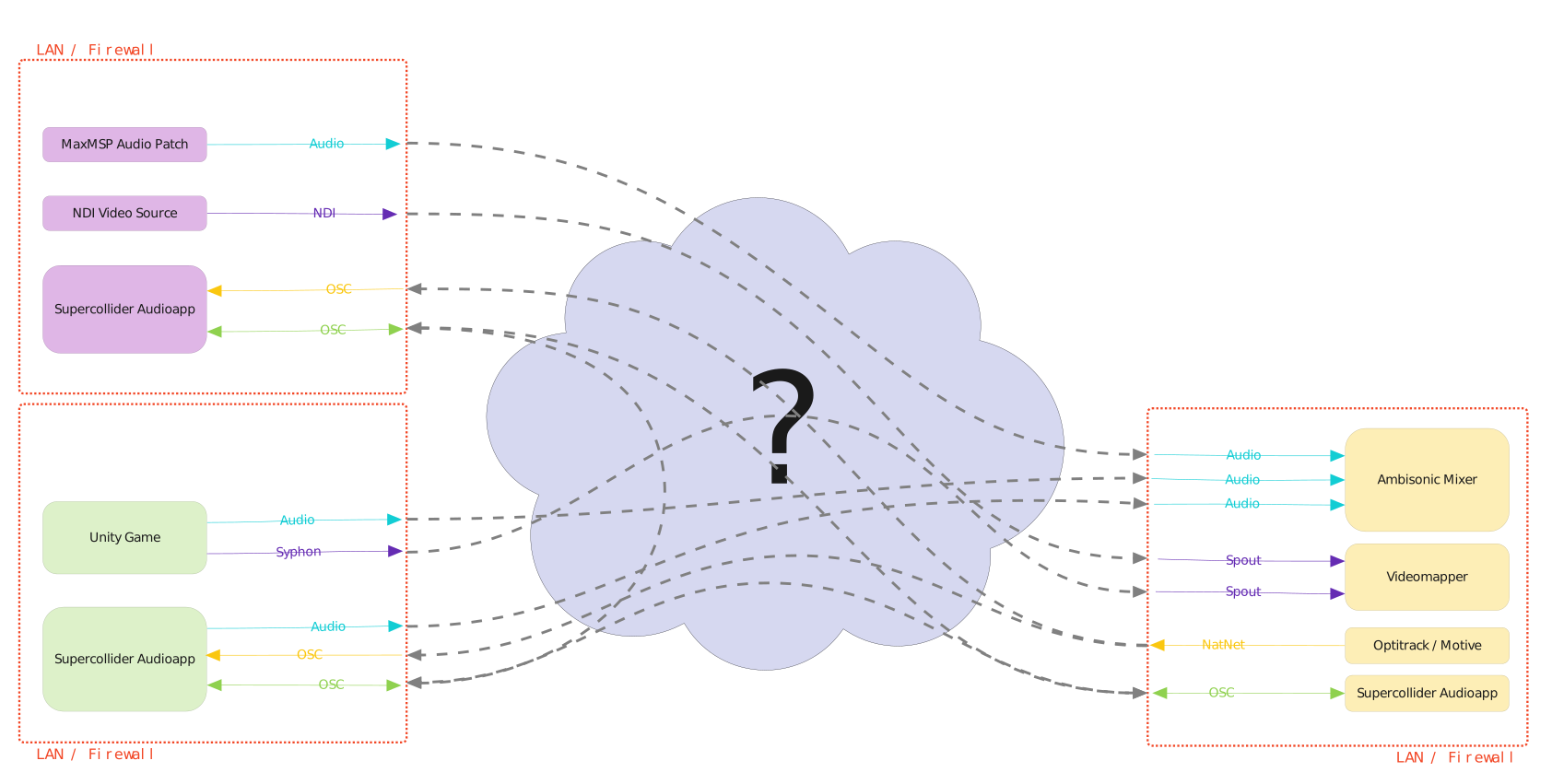
Say you have three locations on three separate networks, each behind a firewall whose administrators have no intention of changing anything — a university, for instance.
You need to move several data streams between those locations with as little latency as possible, without disturbing the networking between machines inside each LAN.
How it is solved
Two components:
- the telemersive-router, running on a server with a public IP address
- the Telemersive Gateway (this app), running on every participating machine
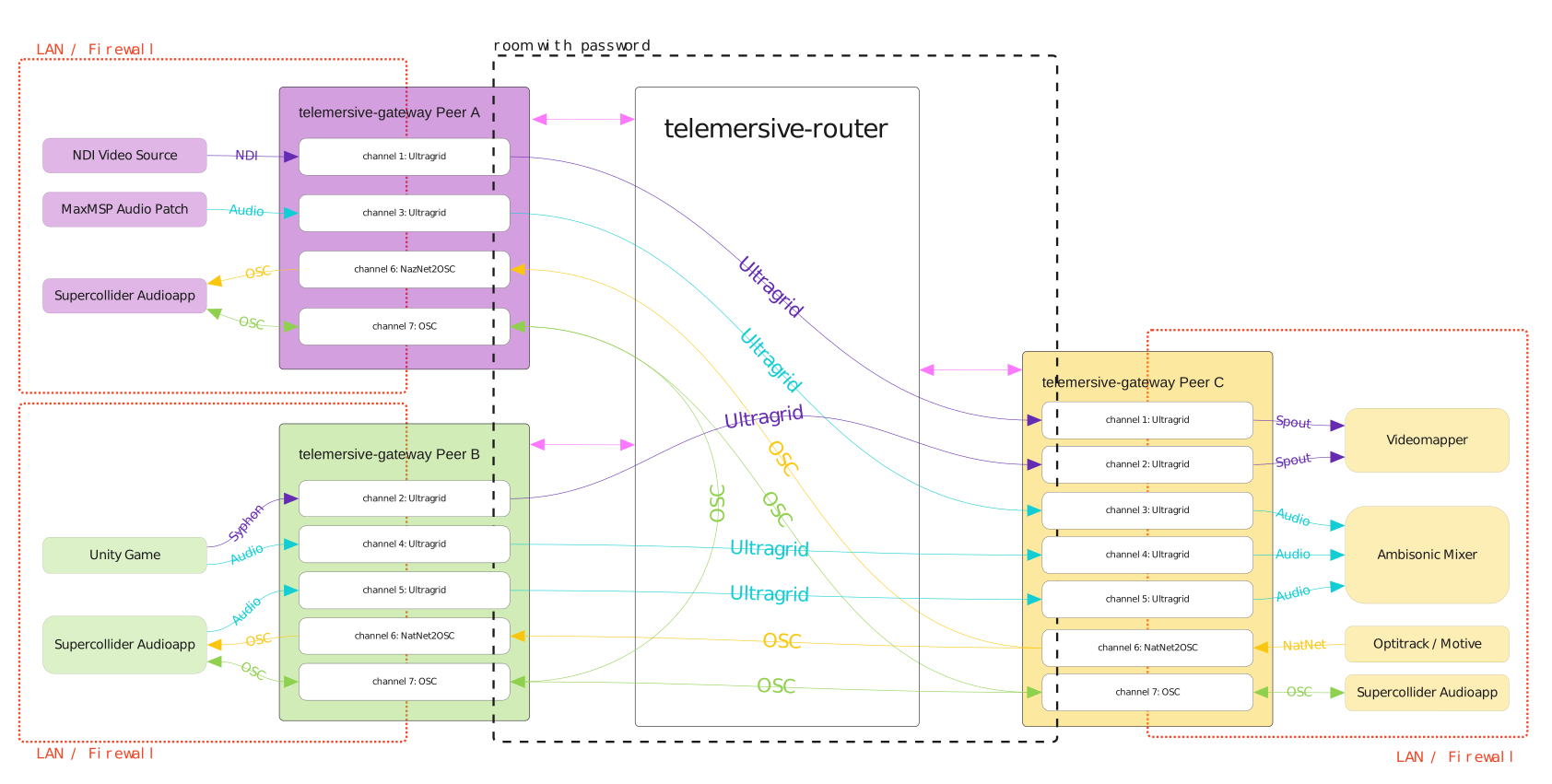
Each Gateway joins a room on the router, either creating it or entering an existing one with its password. Peers in the same room can share their data sources. Each peer opens devices that carry the actual media; the router mediates between them, so no firewall rule has to change.
What you work with
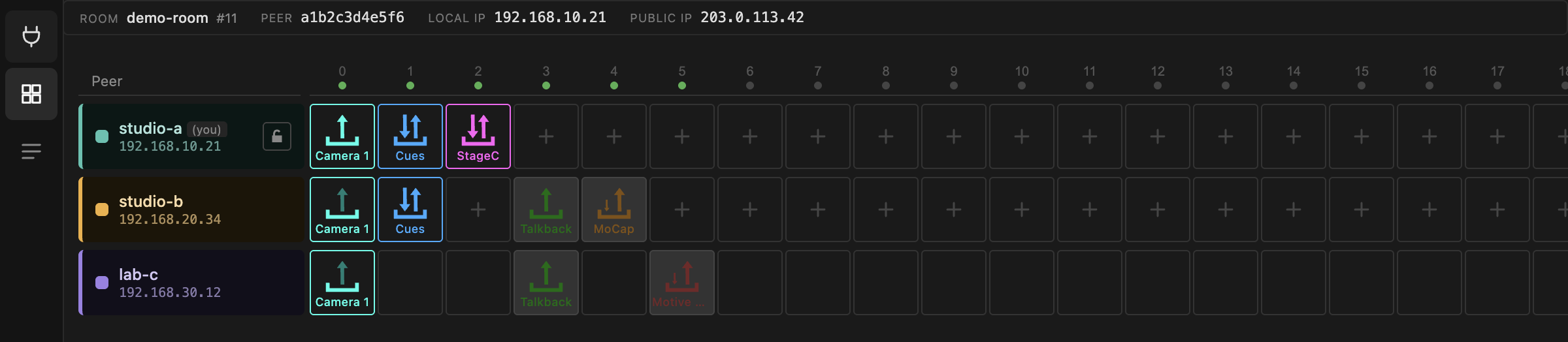
A room is a grid. Columns are channels (20 of them), rows are peers. Devices in the same column can exchange data.
| Device | Carries |
|---|---|
| OSC | OSC messages between peers and your local tools |
| Stage Control | a browser-based OSC surface, one instance per room |
| UltraGrid | low-latency video and audio |
| MoCap | OptiTrack motion capture converted to OSC |
| Motive bridge | native Motive/NatNet streams, re-multicast at the far end |
You can drive any peer's devices from any other peer in the room, unless that peer has locked its row.
Where to start
- Install — download and first launch
- Tools & compatibility — the check that gates the app
- Your first session — connect, join, and see a room
- The matrix — how to read the grid
Under the hood
Not required reading, but useful when something misbehaves.
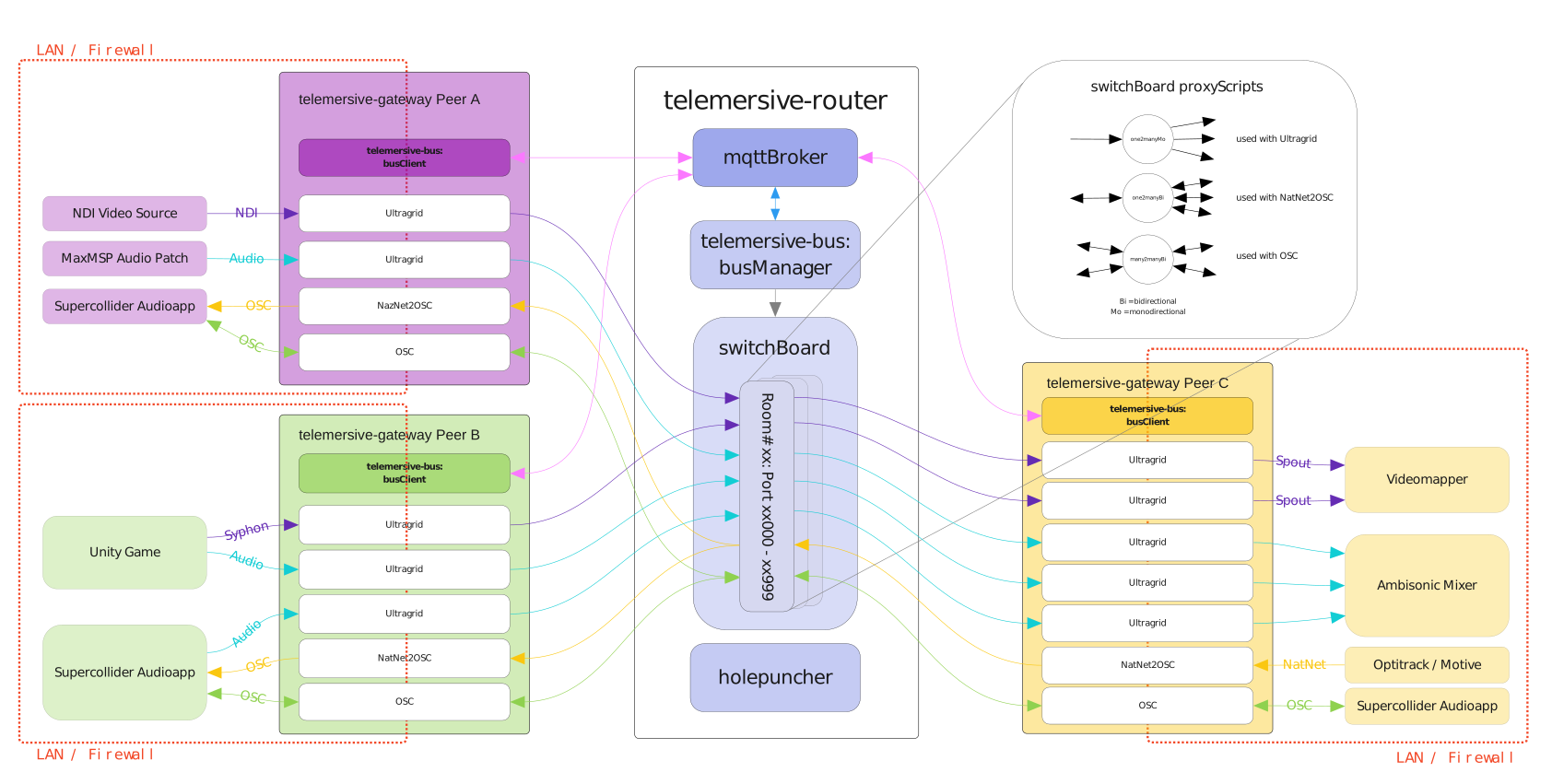
At the core is the telemersive-bus, which connects clients through an MQTT broker that is part of the router. A bus manager organises room creation and access, talking to the switchBoard.
Every room gets a port range on the router — room 11 gets 11000–11999 — and the switchboard starts a set of small proxy scripts inside it. Each proxy simply forwards the UDP packets it receives to the peers connected to it:
- one-to-many, one direction — receives on one port, sends on another
- one-to-many, bidirectional — one port for the "one", one for the "many"
- many-to-many, bidirectional — receives and sends on the same port
A holepuncher service supports the direct peer-to-peer UltraGrid mode, which skips the router entirely.
See Ports for how channel numbers become port numbers, and Max compatibility for what this app shares with its Max/MSP predecessor.