Install
Telemersive Gateway is a standalone desktop application. Unlike the Max/MSP version it replaces, it needs neither Max nor any Max packages.
Download the latest build from the releases page.
Pick the .dmg that matches your Mac:
| File | For |
|---|---|
Telemersive-Gateway-<version>-arm64.dmg |
Apple Silicon (M1 and later) |
Telemersive-Gateway-<version>-x64.dmg |
Intel |
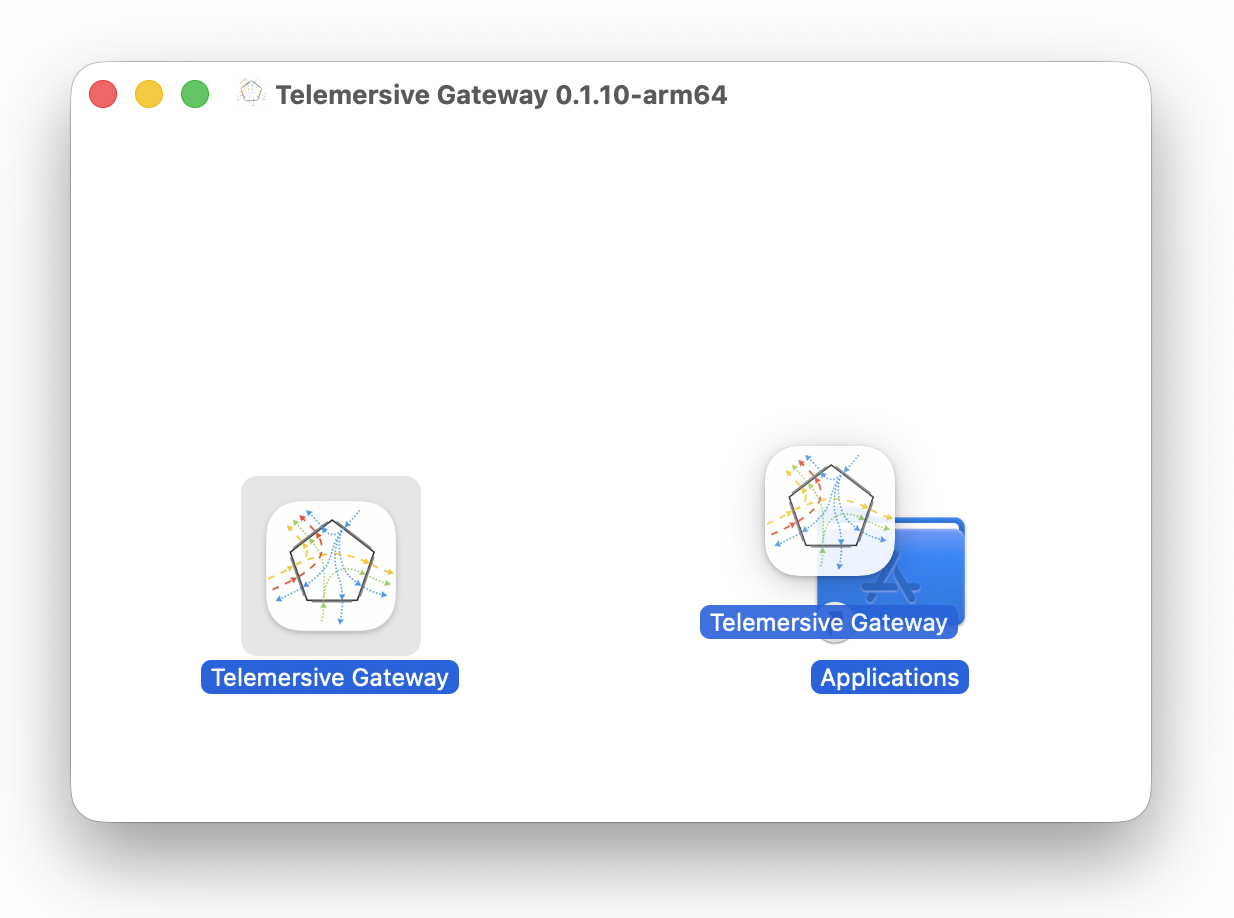
Open the disk image and drag Telemersive Gateway into Applications.
The build is signed and notarised, so it should open normally. If macOS refuses to open it, right-click the app and choose Open once.
Download Telemersive-Gateway-Setup-<version>.exe and run it. The installer
lets you choose the installation directory and installs for all users, so it
will ask for administrator rights.
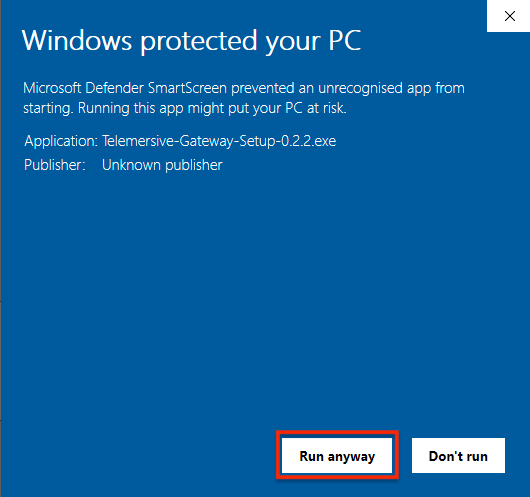
Windows SmartScreen may warn about an unrecognised app.
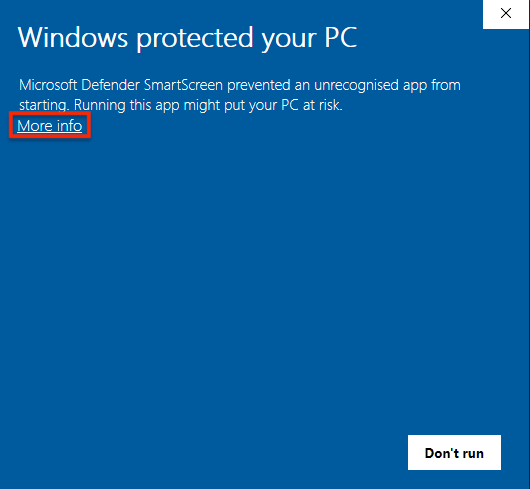
Choose More info → Run anyway.
Updates
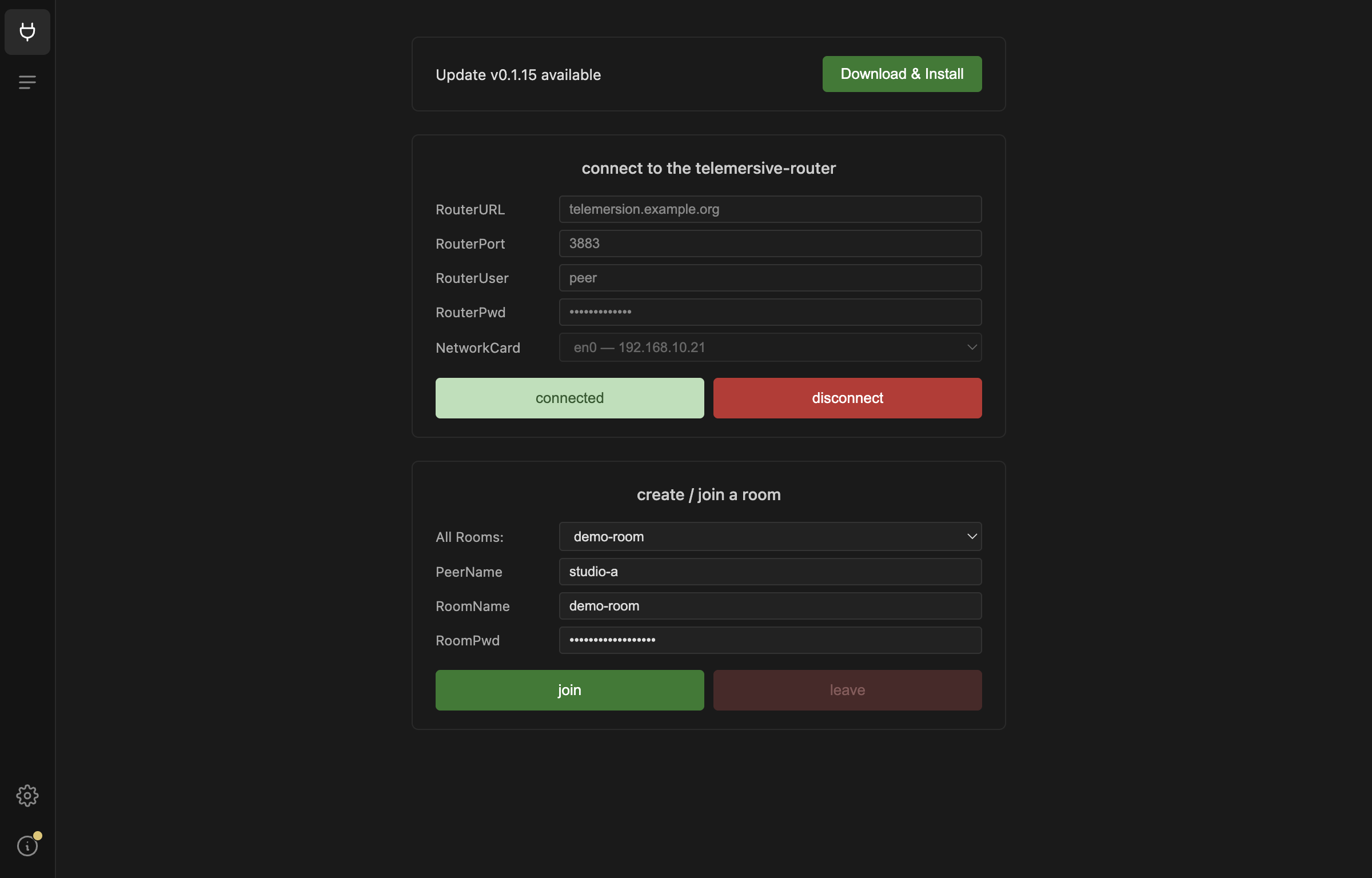
The Gateway checks for new releases on its own. When one is available a banner appears on the Session view, and the About panel offers to download and install it.
External tools
Two command-line tools do the actual media work, and they are not bundled:
- UltraGrid — video and audio. Required on all platforms.
- NatNetFour2OSC — OptiTrack motion capture. Windows only.
The Gateway checks for both at startup and refuses to go any further until the check passes. That check, and what to do when it fails, is the next page.
Firewall
The first time you enable a device, your operating system will ask whether to allow incoming network connections. Allow it — without that, streams leave your machine but nothing arrives.
If you dismissed the prompt by accident, see the FAQ.
What you connect it to
The Gateway bridges between the network and whatever produces or consumes media on your machine:
- Video via Syphon (macOS), Spout (Windows) or NDI
- Audio via CoreAudio, PortAudio, WASAPI or JACK — see Audio on macOS
- OSC via plain UDP, to and from any tool that speaks it
- Motion capture from OptiTrack Motive
You also need access to a running telemersive-router, and credentials for it. Ask whoever operates yours.